


Table of Contents
1. 购买服务器
2. 更换为阿里云镜像源(可选)
3. 相关依赖安装
4.gitlab ce安装
1. 购买服务器
360智能云: https://360shipin.com.cn/

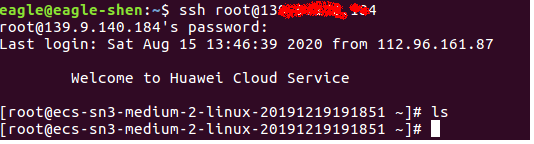
ssh远程登录 ssh root@xxx.xxx.xxx
2. 更换为阿里云镜像源(可选)
备份: mv /etc/yum.repos.d/CentOS-Base.repo /etc/yum.repos.d/CentOS-Base.repo.backup
下载: wget -O /etc/yum.repos.d/CentOS-Base.repo http://mirrors.aliyun.com/repo/Centos-7.repo
(注:下载与服务器对应版本CentOS 7)

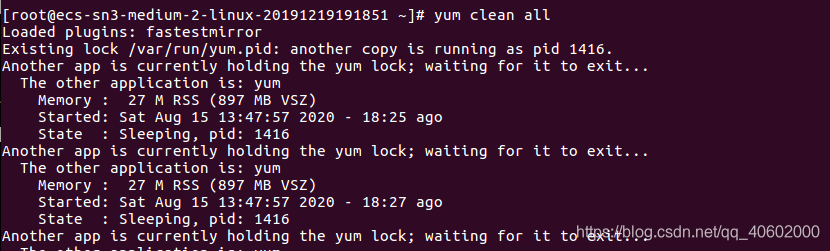
清除缓存: yum clean all
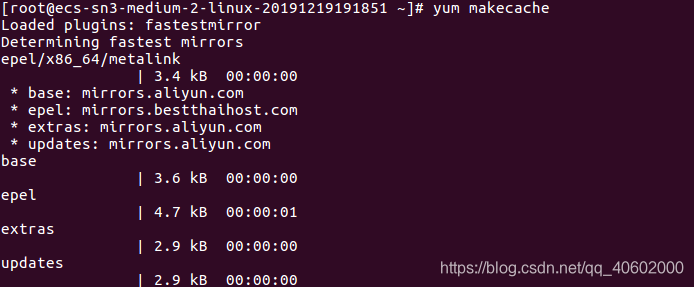
生存缓存: yum makecache
3. 相关依赖安装sudo yum install -y curl policycoreutils-python openssh-serversudo systemctl enable sshdsudo systemctl start sshdsudo yum install postfixsudo systemctl enable postfixsudo systemctl start postfix
4.gitlab ce安装
sudo vi /etc/yum.repos.d/gitlab-ce.repo ,修改配置文件内容如下:
[gitlab-ce]
name=Gitlab CE Repository
baseurl=https://mirrors.tuna.tsinghua.edu.cn/gitlab-ce/yum/el$releasever/
gpgcheck=0
enabled=1
yum makecache
sudo EXTERNAL_URL="http://xxx.xxx.xxx.xxx" yum install -y gitlab-ce, 地址替换为公网ip
访问ip


